For Freelancers & Small Business

Run your freelance business clearly,
not chaotically

Editable spreadsheet systems for tracking income, expenses, invoices, clients, projects, and taxes — without overcomplicating things. Works in Excel and Google Sheets. One-time purchase, use every year.

Editable in Excel Opens in Google Sheets Change year — all sheets update No subscription

Three tools, built for self-employed work

Each spreadsheet is fully editable, formula-driven, and documented inside — no tutorials needed.

9 sheets
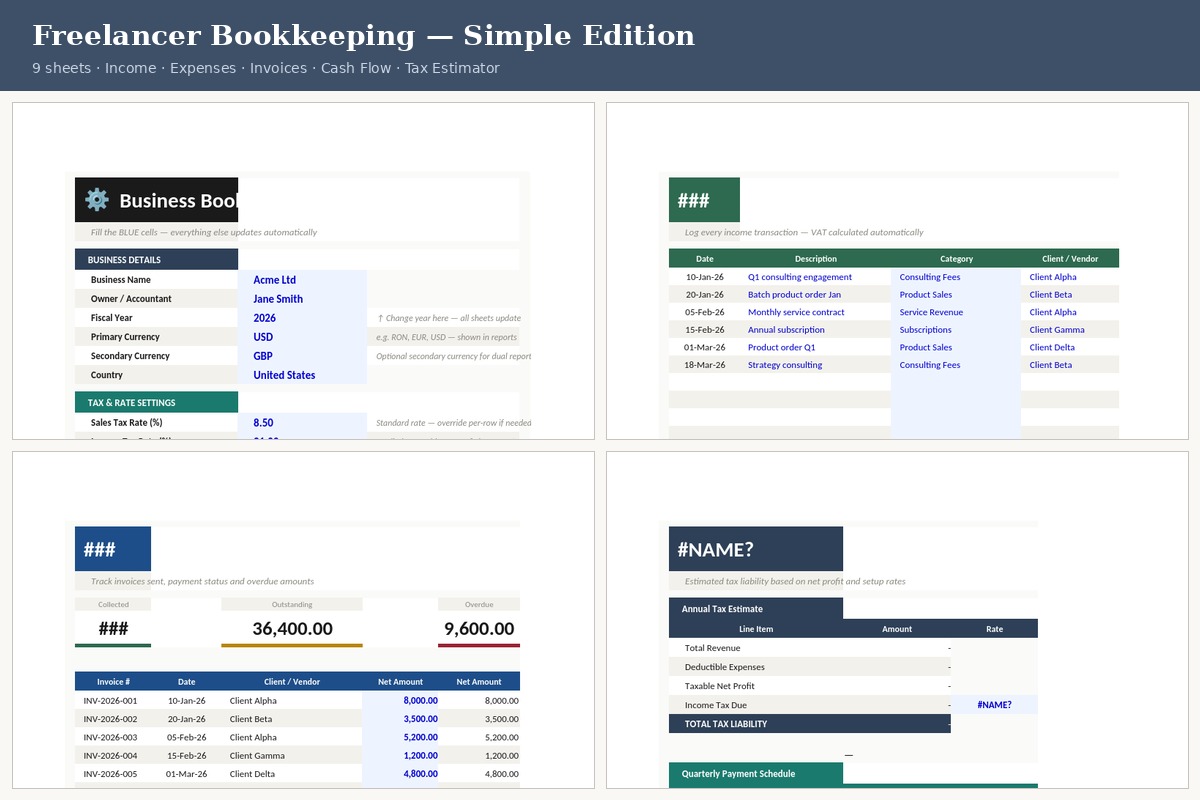
Freelancer Bookkeeping spreadsheet preview — Setup, Income, Invoices and Tax Estimator sheets
Click to enlarge
Bookkeeping · For Freelancers

Freelancer Bookkeeping
Simple Edition

Everything you need to track a freelance business from January to December — income, expenses, invoices, cash flow, and an end-of-year tax estimate. Set it up once, use it all year.

⚙️ Setup — name, year, rates
📊 Dashboard — P&L at a glance
💵 Income — log every payment
💸 Expenses — tax-deductible
🔁 Recurring — fixed costs once
🧾 Invoices — sent & paid status
💰 Cash Flow — monthly rolling
📅 Annual P&L — full year
🧮 Tax Estimator — quarterly
  • Change the Fiscal Year in Setup — all dates across every sheet update automatically
  • Set your currency (USD, EUR, RON, GBP) and tax rates once — formulas pick them up
  • Income tax + social contributions estimated automatically from net profit
  • Invoice status tracking: PAID, UNPAID, OVERDUE, PARTIAL — with overdue day count
  • Recurring costs entered once, projected across 12 months
  • 700 income rows + 700 expense rows — room for a full, busy year
17€
One-time · Instant download
Buy on Gumroad Preview in Google Drive
11 sheets
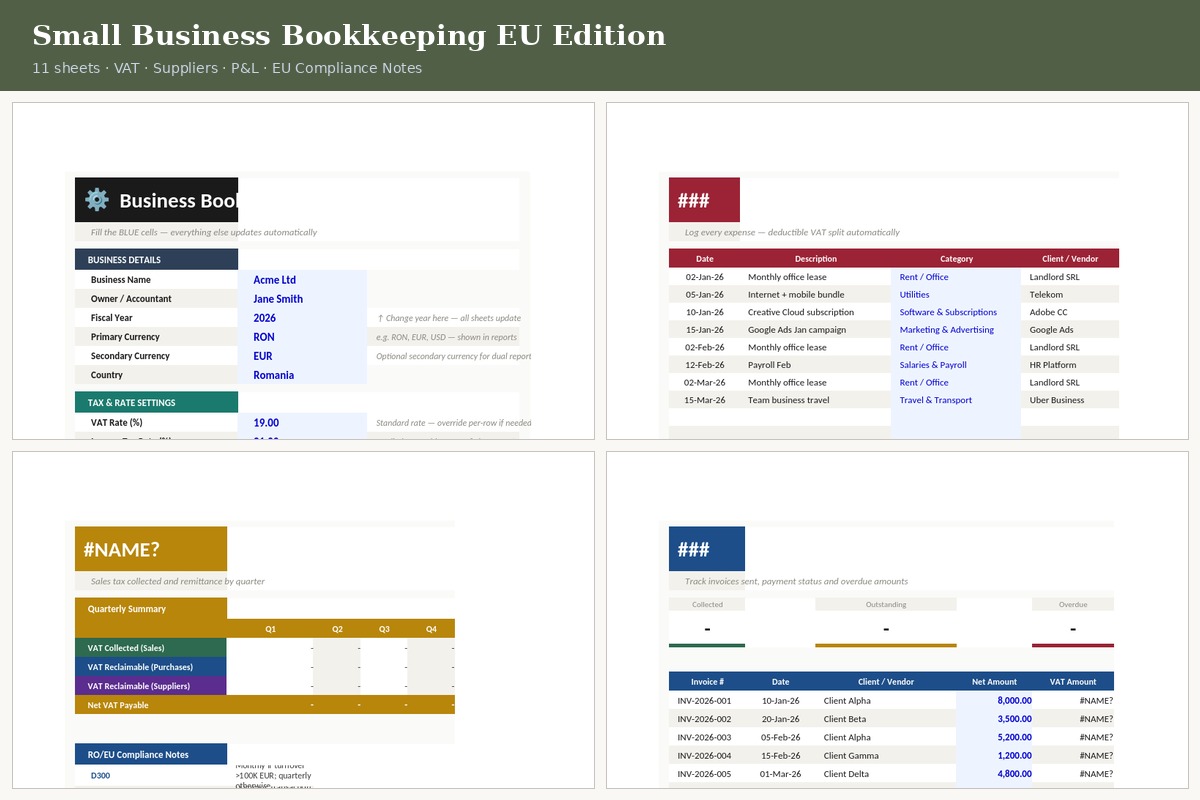
Small Business Bookkeeping EU — Setup, Expenses, VAT tracker and Invoices sheets
Click to enlarge
Bookkeeping · EU / VAT · Small Business

Small Business Bookkeeping
EU Edition

The full-featured version, built for VAT-registered businesses in Romania and the EU. Tracks client invoices and supplier invoices separately, calculates VAT owed per quarter, and includes EU compliance notes (D300, D394, Reverse Charge, VIES).

⚙️ Setup — VAT rate, fiscal year
📊 Dashboard — P&L + VAT due
💵 Income — with VAT columns
💸 Expenses — deductible VAT split
🔁 Recurring — auto-projected
🧾 Invoices — client invoices sent
🏭 Suppliers — bills received
🏛️ VAT — Q1–Q4 + annual
💰 Cash Flow — incl. VAT payments
📅 Annual P&L — month-by-month
🧮 Tax Estimator — incl. VAT
  • Default VAT rate set in Setup (19% RO standard, overridable per row)
  • VAT Collected vs. VAT Reclaimable tracked separately each quarter
  • EU compliance notes built in: D300, D394, Reverse Charge, VIES Check, Intrastat
  • Supplier invoices tracked separately from client invoices — both link to Cash Flow
  • Change Fiscal Year in Setup → all dates and quarterly schedules update
  • Primary currency RON, optional secondary currency EUR for dual reporting
24€
One-time · Instant download
Buy on Gumroad Preview in Google Drive
8 sheets
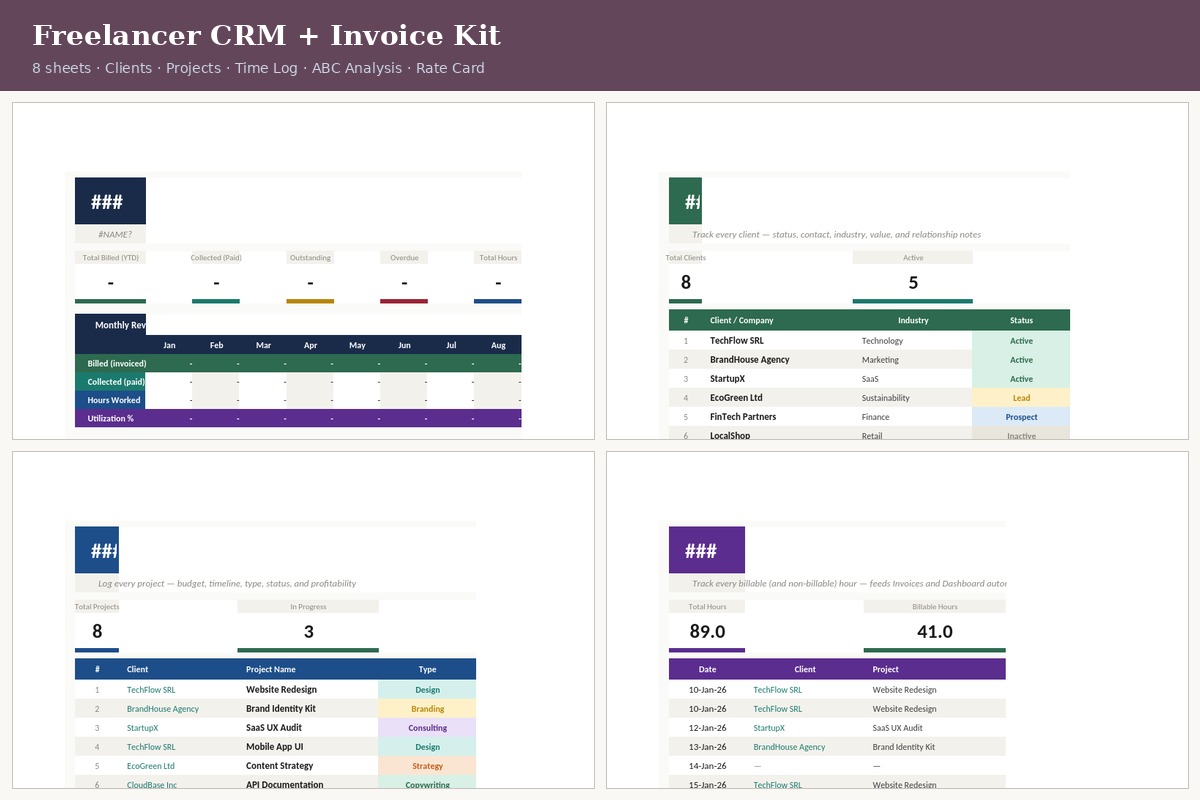
Freelancer CRM + Invoice Kit — Dashboard, Clients, Projects and Time Log sheets
Click to enlarge
CRM · Invoicing · Time Tracking

Freelancer CRM
& Invoice Kit

Client management, project tracking, time logging, and invoicing in one connected system. Know who owes you what, which projects are on track, and exactly how many billable hours you've worked this month.

⚙️ Setup — name, VAT, invoice prefix
📊 Dashboard — YTD billed & collected
👥 Clients — CRM with status
📋 Projects — budget & timeline
⏱️ Time Log — billable hours
🧾 Invoices — with VAT & due dates
📊 ABC Analysis — top clients (Pareto)
💰 Rates — service card & rush rates
  • Client CRM with status (Active, Lead, Prospect, Inactive) and lifetime value tracking
  • Time Log links to Projects and Invoices — billable hours priced automatically
  • Invoice VAT pulls from Setup (default 19%) — overridable per invoice
  • ABC Analysis segments clients by revenue contribution (Pareto — A/B/C tiers)
  • Rate Card with Base Rate and Rush Rate (1.5×) — all auto-calculated
  • Invoice overdue counter: shows days late automatically for unpaid invoices
27€
One-time · Instant download
Buy on Gumroad Preview in Google Drive

Set up once, use all year

Every spreadsheet follows the same logic — fill in the blue cells, everything else calculates.

1

Open Setup

Fill in your business name, fiscal year, currency, and tax rates. This is the only place you type your details — all other sheets pull from here automatically.

2

Log as you go

Add income and expenses row by row throughout the year. The Dashboard and Cash Flow sheets update in real time — no manual totalling.

3

Send invoices

Track each invoice with a number, client, amount, and due date. Status (PAID, UNPAID, OVERDUE) updates automatically based on what you enter.

4

Review quarterly

The Tax Estimator and VAT sheet give you a clear picture of what you owe each quarter — before your accountant asks for it.

5

New year — 2 minutes

Change the Fiscal Year number in Setup. All date columns, quarterly schedules, and annual reports switch to the new year automatically.

Works wherever you work

All three spreadsheets open and function correctly in both Excel and Google Sheets.

Microsoft Excel
Google Sheets
Google Drive (preview & share)
LibreOffice Calc
Mac Numbers (read-only)

To open in Google Sheets: go to File → Open → Upload and select the downloaded .xlsx file. All formulas transfer correctly.

Questions about how these work

Do I need to know Excel formulas to use these?
No. Every sheet is set up so you only ever type in the blue/highlighted cells. All calculations happen automatically. The Setup sheet has a numbered how-to-use guide at the bottom, and every sheet has a subtitle explaining what to enter.
How do I change the year?
Open the Setup sheet and change the Fiscal Year cell (it says 2026 by default). All date columns, quarterly payment schedules, and annual reports across every sheet update to the new year automatically. No other changes needed.
Can I open these in Google Sheets?
Yes. After purchasing and downloading the .xlsx file, open Google Drive, click New → File Upload, select the file, then open it with Google Sheets. All formulas, formatting, and sheet structure transfer correctly. You can then save it as a Google Sheet to keep it in your Drive.
Which spreadsheet should I buy?
If you're a freelancer without VAT registration → Freelancer Bookkeeping Simple (17€). If you're VAT-registered or run a Romanian SRL/PFA with EU clients → Small Business Bookkeeping EU (24€). If you want to manage clients, log time, and send invoices → CRM + Invoice Kit (27€). These work independently or alongside each other.
Are these templates or do they do the calculations?
They do the calculations. Income and expenses you log flow automatically into the Dashboard, Cash Flow, Annual P&L, and Tax Estimator. You don't add totals manually — the formulas handle all of that.
Can I add more rows, columns, or sheets?
Yes — each file is fully unlocked and editable. The Income and Expense sheets already have 700 rows each. You can add rows freely; the summary formulas use SUMIF ranges that pick them up automatically. You can also rename categories, add new sheets, or adjust any formula to your needs.
Is this suitable for a Romanian PFA or SRL?
The EU Edition is set up with Romania as the default country — RON as primary currency, EUR as secondary, VAT rate 19% (overridable to 9% or 5% per row), and compliance notes for D300, D394, Reverse Charge, and VIES. It won't replace your accountant, but it will give you clean, organised numbers to hand over to them each quarter.
What if I have a question after downloading?
Reach out via the contact form on the About page. Include which spreadsheet you're using and a description of what's not working — I'll reply within 48 hours.

All three tools together

Bookkeeping + EU VAT + CRM — a complete system for running a freelance business, from tracking the first invoice to the year-end tax estimate.

Freelancer Bookkeeping — 17€ EU Edition — 24€ CRM + Invoices — 27€